

Why Use the Wrapper?
Section titled “Why Use the Wrapper?”- Automatic CSRF handling — No need to manage tokens manually
- Built-in spinner — Shows a loading indicator during requests
- Less coupling — If the API changes, the wrapper absorbs more of that churn
- Cleaner code — Less boilerplate for you
Importing the Wrapper
Section titled “Importing the Wrapper”The bundled admin and Huraga themes already load the wrapper. For a custom theme, add this to your base layout before your theme JavaScript:
{{ "Api/API.js"|library_url|script_tag }}<script src="{{ 'build/js/mytheme.js'|asset_url }}"></script>The script_tag filter adds a cache-busting hash and prevents the same script from being rendered more than once.
If your custom theme does not reuse the bundled theme JavaScript, initialize automatic API forms and links after the DOM loads:
document.addEventListener('DOMContentLoaded', function() { API._apiForm(); API._apiLink();});CSRF Tokens
Section titled “CSRF Tokens”FOSSBilling uses a double-submit style token for browser API calls. Browser-rendered Twig pages expose CSRFToken and set a csrf_token cookie.
| Call type | CSRF requirement |
|---|---|
guest API calls | Not required. |
client or admin API calls with the browser session | Required. |
External client or admin API calls using an API key | Not required. |
The JavaScript wrapper reads the csrf_token cookie and sends it automatically where applicable. You don't need to manually attach the token to form data when using the wrapper.
Making Requests
Section titled “Making Requests”The wrapper follows this pattern:
API.{role}.{method}(endpoint, params, onSuccess, onError, showSpinner)| Parameter | Description |
|---|---|
role | admin, client, or guest |
method | Use get or post for core FOSSBilling API routes. |
endpoint | The API endpoint (e.g., "system/version") |
params | Request parameters (object) |
onSuccess | Callback function for successful responses |
onError | Callback function for errors. Receives { message, code }. |
showSpinner | Boolean to show/hide the loading spinner (optional, default: true) |
Examples
Section titled “Examples”Get System Version (Guest)
Section titled “Get System Version (Guest)”API.guest.get( "system/version", {}, function(response) { console.log("Version:", response); }, function(error) { console.error("Error:", error); });Get Client List (Admin)
Section titled “Get Client List (Admin)”API.admin.post( "client/get_list", { per_page: 10, page: 1 }, function(response) { console.log("Clients:", response.list); }, function(error) { console.error("Failed to load clients:", error); });Disable the Spinner
Section titled “Disable the Spinner”API.admin.post( "client/get_list", {}, function(response) { console.log(response.list); }, function(error) { console.error(error.message); }, false);Loading Spinner
Section titled “Loading Spinner”The wrapper automatically creates a loader element for requests when the spinner is enabled. To use it, make sure your theme has styling for .spinner-border.
The wrapper creates and removes the spinner element automatically:
.spinner-border { display: inline-block; animation: spin 1s linear infinite;}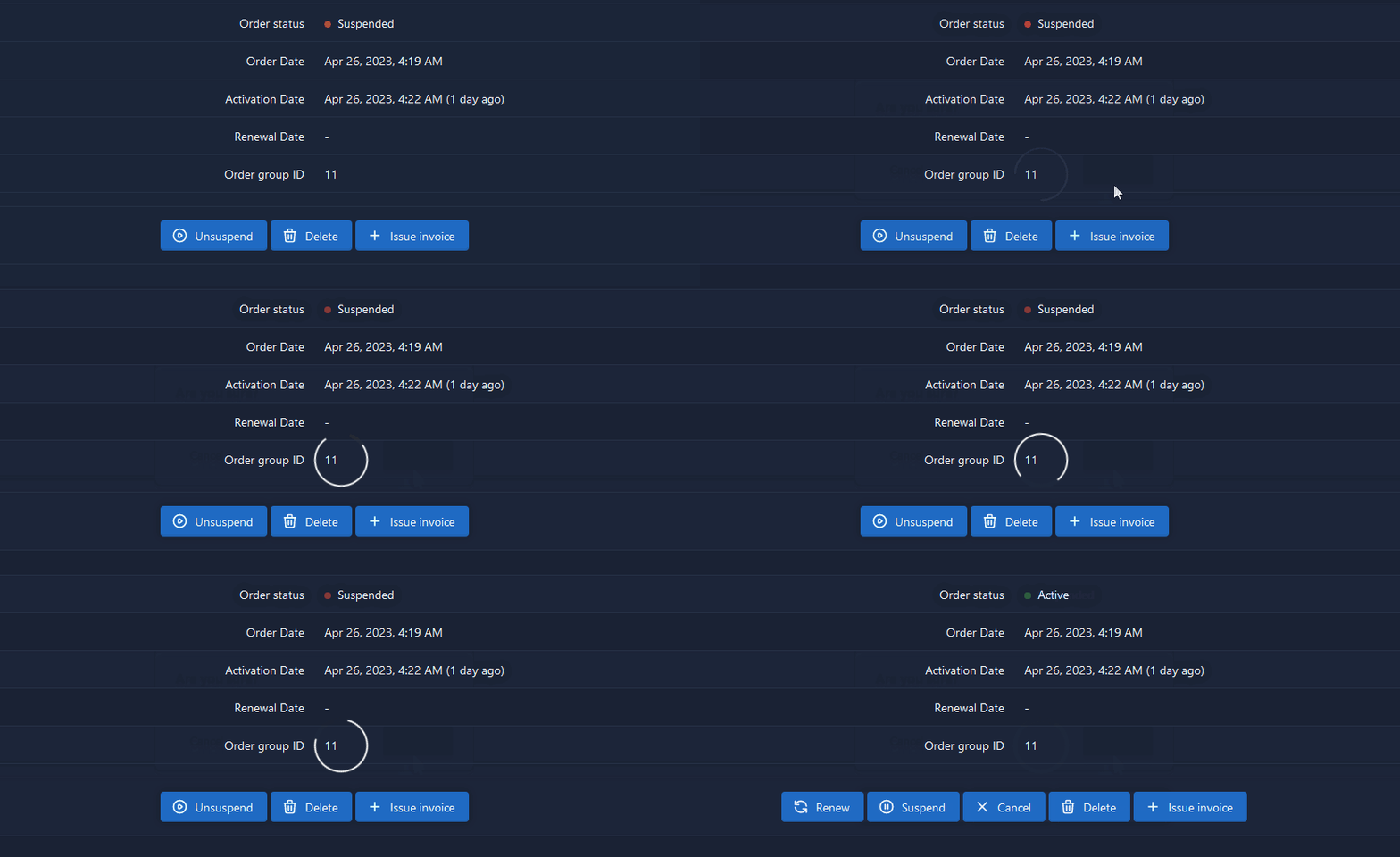
Disabling the Spinner
Section titled “Disabling the Spinner”Either:
- Don't define a
.spinner-borderclass in your CSS - Pass
falseas the fifth parameter to the API call like below:
API.admin.post('client/get_list', {}, onSuccess, onError, false);API Forms and Links
Section titled “API Forms and Links”The Twig helpers fb_api_form() and fb_api_link() render a data-fb-api attribute that the wrapper uses for automatic form and link handling.
Use api_url for the target endpoint:
<form action="{{ 'profile/update'|api_url }}" {{ fb_api_form({ message: 'Profile updated'|trans }) }}> <input type="text" name="first_name" value="{{ profile.first_name }}"> <button type="submit">{{ 'Save'|trans }}</button></form>fb_api_form() adds method="post" and data-fb-api. The wrapper serializes the form, adds the CSRF token automatically for session-authenticated calls, disables enabled buttons while the request is running, and shows errors with FOSSBilling.message().
For API links:
<a href="{{ 'client/delete'|api_url(query: { id: client.id }, role: 'admin') }}" {{ fb_api_link({ modal: { type: 'confirm', title: 'Are you sure?'|trans }, redirect: 'client'|url }) }}> {{ 'Delete'|trans }}</a>The wrapper intercepts links with data-fb-api, sends a GET request to the link href, and then handles the configured follow-up action.
Supported data-fb-api options:
| Option | Applies to | Description |
|---|---|---|
message | Forms and links | Show a success toast after the request. |
redirect | Forms and links | Redirect to the given URL after success. |
reload | Forms and links | Pass true to reload the current page after success. |
callback | Forms and links | Name of a global window function to call with the API result. |
params | Links | Extra request parameters merged into the link request. |
modal | Links | Show a confirmation, danger, or prompt modal before the request. |
Prompt modals require a key; the entered value is sent under that request parameter name:
<a href="{{ 'example/update_name'|api_url }}" {{ fb_api_link({ modal: { type: 'prompt', title: 'New name'|trans, label: 'Name'|trans, key: 'name' }, reload: true }) }}> {{ 'Rename'|trans }}</a>Handling Responses
Section titled “Handling Responses”Success Response
Section titled “Success Response”The success callback receives the decoded API response object:
function(response) { console.log(response);}Error Response
Section titled “Error Response”The error callback receives the API error payload:
function(error) { console.error(error.message, error.code);}Manual Requests
Section titled “Manual Requests”Use manual fetch() only when the wrapper does not fit. For session-authenticated admin or client calls, include the CSRF token in the JSON body, query string, form data, or X-CSRF-Token header:
function getCsrfToken() {  const match = document.cookie.match(/csrf_token=([^;]*)/);  return match ? decodeURIComponent(match[1]) : '';}
fetch('{{ "profile/update"|api_url }}', {  method: 'POST',  headers: {    'Accept': 'application/json',    'Content-Type': 'application/json',    'X-CSRF-Token': getCsrfToken(),  },  body: JSON.stringify({ first_name: 'Jane' }),});
Complete Example
Section titled “Complete Example”function loadProfile() { API.client.get( "profile/get", {}, function(profile) { document.getElementById('name').textContent = profile.first_name + ' ' + profile.last_name; document.getElementById('email').textContent = profile.email; }, function(error) { alert('Failed to load profile: ' + error.message); } );}
document.addEventListener('DOMContentLoaded', loadProfile);For more details, see the API Reference.